HUB 05 · Guides & Buying Advice
How to Find EV Charging Stations
Finding a charger is easy; finding a working one your car can use is the skill. The tools and the filters that matter.
We earn a commission when you buy through our Amazon links, at no extra cost to you. It never affects our rankings, and we say so when the cheaper product is the better buy. How this works.
To find a public charger, use a map that covers every network — PlugShare is the standard — then filter by the connector your car uses (NACS, J1772 or CCS) and the speedyou need. Your car's built-in navigation, Google Maps and Apple Maps now list chargers too, and each network's app shows its own stations in real time.
The trap is that "there's a charger here" is not the same as "there's a charger here that works and fits my car." A little filtering up front saves a wasted detour.
PlugShare — the cross-network map
PlugShare maps chargers from all the major networks in one place and layers on driver check-ins so you can judge reliability. Filter to your connector type and minimum power, and read the two or three most recent check-ins before committing — a string of "stall 3 down" reports is exactly what you want to know first. See our best charging apps guide for how it fits with the other tools.
Your car's built-in navigation
Most modern EVs include charger search in the nav system, often with live availability and battery pre-conditioning for faster fast-charging. For a car with a good native planner, this is frequently the fastest route to a working stall — it already knows your connector and range.
Google Maps, Apple Maps and network apps
Google Maps and Apple Maps both list EV chargers with connector and speed details and, increasingly, live status. Each network's own app (ChargePoint, Electrify America, EVgo, Tesla) shows its stations in real time and is where you will start and pay for the session — see how to pay. Cross-checking a map finder against the network app is the reliable combination.
Filter by connector so it actually fits
The most important filter is the plug. A J1772 car uses J1772 AC and CCS DC; a Tesla or NACS car uses NACS. Adapters bridge some gaps — a NACS-to-J1772 adapterlets a J1772 car use Tesla AC chargers — but they are AC-only. Our NACS vs J1772 explainer makes the compatibility clear so you filter correctly.
The gear
Recommended gear for this guide
The products this guide refers to, with prices pulled live from Amazon and dated on each card.
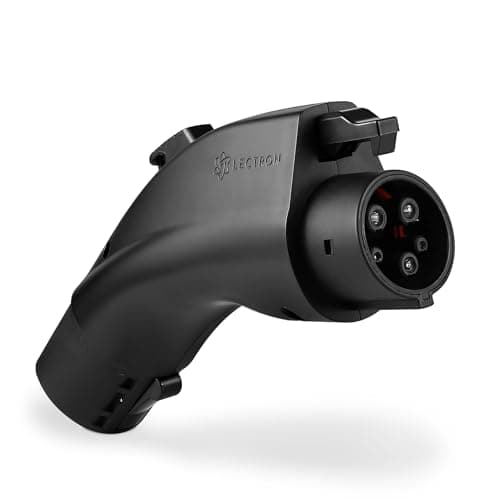
A J1772 car using NACS chargers
Lectron NACS → J1772 Adapter
The default adapter for a J1772 car to use a Tesla-style (NACS) home or destination charger — rated for the full 48 amps.
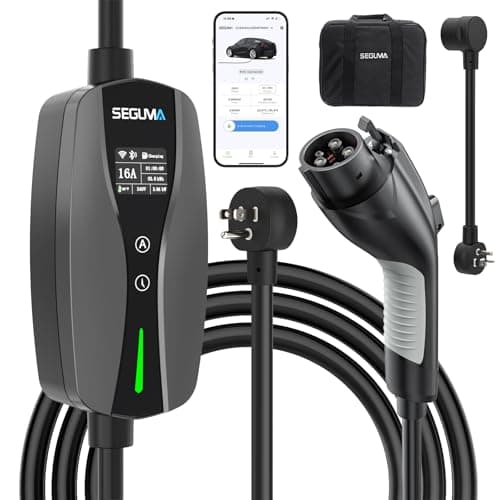
A 120V backup that is not dumb
SEGUMA Wi-Fi Level 1/2 (12A/16A)
A 120-volt cord that plugs into any household outlet and lives in the trunk — with app scheduling, a live display, and 16 amps on 240 volts if you have the outlet.
#ad · As an Amazon Associate we earn from qualifying purchases.
Questions
Frequently asked
What is the best way to find EV chargers near me?
How do I know a charger will fit my car?
How can I tell if a charger is actually working?
Do I still need to find chargers if I charge at home?
Keep reading
Related
- Best EV Charging AppsThe finder and planner apps to keep.
- How to Use a Public ChargerWhat to do once you've found one.
- NACS vs J1772Filter by the right connector for your car.
- Best NACS-to-J1772 AdaptersOpen up Tesla AC chargers to a J1772 car.
- EV Charging on a Road TripFinding chargers where it matters most.
Receipts
Sources
- US DOE AFDC — Electric vehicle charging station locator
- Recharged — best apps for finding and planning charging
We do not run a testing lab, and we do not pretend to. Where a measured number came from someone else's lab, we name them and link them. Where we could not verify something, we say so on the page rather than quietly leaving it out. Read our full method.