HUB 05 · Guides & Buying Advice
How to Pay for Public EV Charging
Four ways stations take payment, when each works, and how to make sure you are never stranded at a charger you can't start.
We earn a commission when you buy through our Amazon links, at no extra cost to you. It never affects our rankings, and we say so when the cheaper product is the better buy. How this works.
Public EV charging is paid four ways: through a network app, with an RFID card you tap on the station, with a contactless credit card or phone, or automatically via Plug-and-Chargewhere the car itself handles billing. Home charging, by contrast, is simply billed on your normal electricity account — there is nothing to pay at the charger.
The reason paying can feel confusing is that each charging network runs its own system, and not every station supports every method. Knowing the four and keeping a backup is how experienced drivers avoid the classic failure: standing at a working charger you cannot start.
1. Network apps (the default)
The most common method is the operator's own app — ChargePoint, Electrify America, EVgo, Tesla and others each have one. You create an account, add a card, then start a session by scanning a QR code or tapping "start" on the station. Apps also show pricing, real-time availability and your session history. The downside is app sprawl: on a road trip you may end up with several installed. Our best EV charging apps guide covers which to keep.
2. RFID cards and network fobs
Most networks will mail you an RFID cardtied to your account; you tap it on the reader to start a session without opening an app. It is faster and works when cell signal is poor — a genuine advantage at chargers in parking structures. The catch is that a card only works if the account behind it has a valid, funded payment method, so keep it current.
3. Contactless credit card or phone (tap to pay)
A growing number of newer DC fast chargers accept a contactless credit card, Apple Pay or Google Pay directly at the station — no app, no account. Regulations tied to federal charging funding are pushing this toward becoming standard on new public fast chargers, but older stations and many Level 2 units still do not have a card reader, so do not rely on it exclusively.
4. Plug-and-Charge (the car pays)
Plug-and-Charge, built on the ISO 15118 standard, lets a compatible car and station authenticate and bill automatically the moment you plug in — no app, card or tap. Tesla pioneered the experience at Superchargers, and it is spreading to other networks and cars. When it works it is the best experience in charging; when the car or station is not enrolled, you fall back to one of the methods above.
The rule that keeps you moving: carry a backup
The single best habit is redundancy. Have the app andthe RFID card for the networks you use, keep a contactless card in the console, and confirm your payment details are current before a trip. When you can charge at home for most miles — ideally with your own Level 2 charger or a portable— public payment friction becomes a rare-trip problem, not a daily one.
The gear
Recommended gear for this guide
The products this guide refers to, with prices pulled live from Amazon and dated on each card.

A J1772 car using NACS chargers
Lectron NACS → J1772 Adapter
The default adapter for a J1772 car to use a Tesla-style (NACS) home or destination charger — rated for the full 48 amps.
The cheapest capable portable
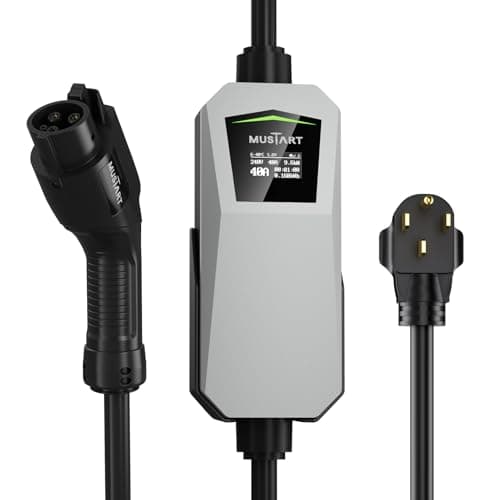
MUSTART 40A Portable
A budget 40-amp portable with an LCD readout — the value pick when you just need 240V charging that moves.
#ad · As an Amazon Associate we earn from qualifying purchases.
Questions
Frequently asked
Can I pay for EV charging with a regular credit card?
What is Plug-and-Charge?
Do I pay anything to charge at home?
Why won't the charger start even though my card is valid?
Keep reading
Related
- Best EV Charging AppsWhich network and planning apps to keep.
- How to Use a Public ChargerThe full step-by-step once you can pay.
- Charging Networks ExplainedWho runs the stations you'll pay at.
- Cost to Charge at HomeWhy home charging avoids all of this.
- EV Charging on a Road TripPaying reliably far from home.
- Plug and Charge ExplainedThe automatic pay-through-the-cable method.
Receipts
Sources
- DriveElectric.gov — Best practices for public charging payment
- go-e — ISO 15118 and Plug & Charge explained
We do not run a testing lab, and we do not pretend to. Where a measured number came from someone else's lab, we name them and link them. Where we could not verify something, we say so on the page rather than quietly leaving it out. Read our full method.